WordPress powers over 40% of the web. For years, it has been the go-to platform for blogs, business websites, online stores, portfolios, membership sites, and enterprise applications.
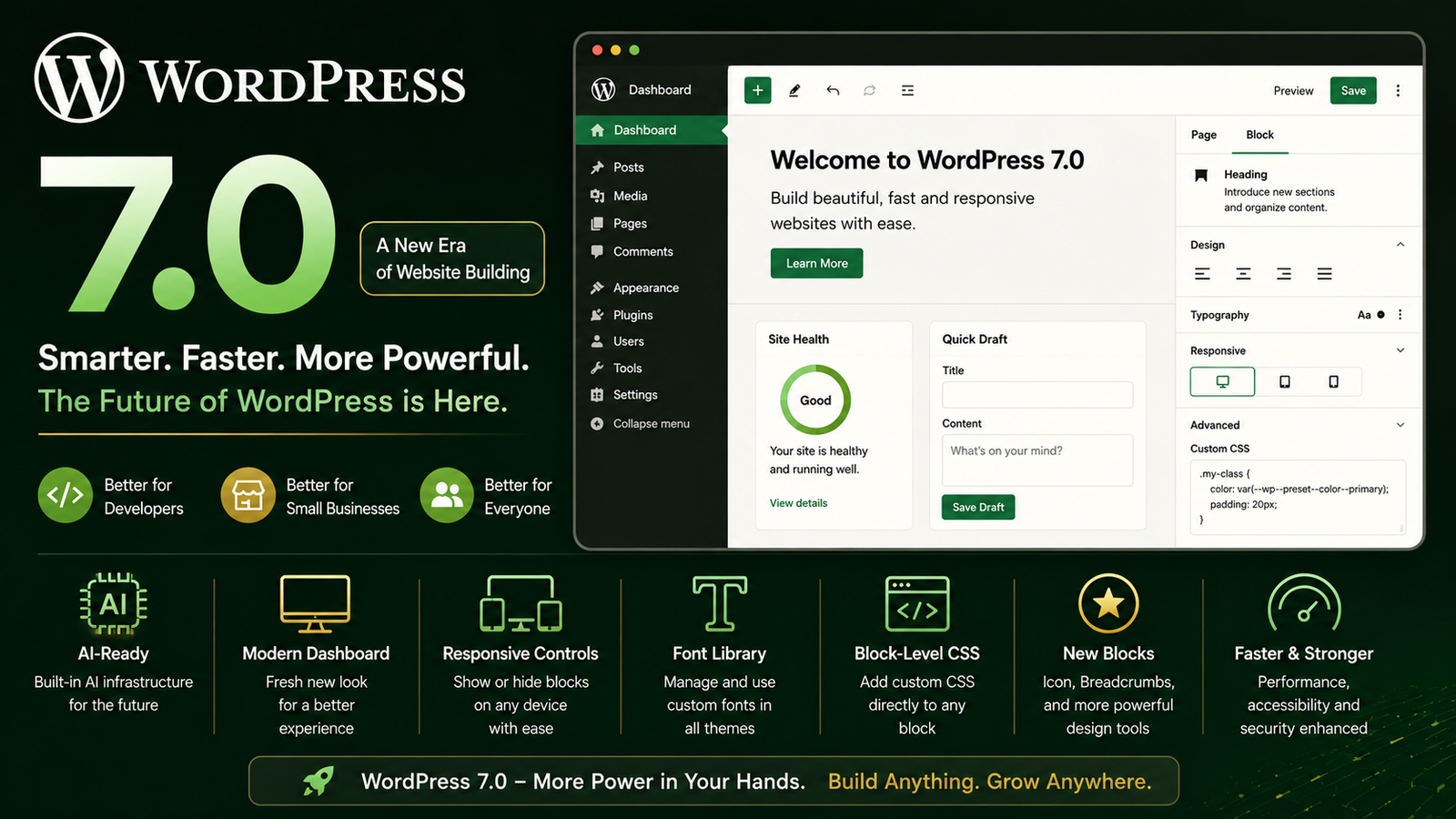
With the release of WordPress 7.0 “Armstrong” on May 20, 2026, the platform has taken one of its biggest steps forward in recent years. This is not just another update with minor improvements. WordPress 7.0 modernizes the entire experience, introduces AI-ready architecture, improves design tools, enhances performance, and gives developers more control than ever before.
What Is WordPress 7.0?
WordPress 7.0 is the first major release in the 7.x series. It focuses on:
- Better user experience
- AI integration
- Modern website building
- Improved performance
- Enhanced accessibility
- Better developer tools
- More design flexibility
The release is part of WordPress’s long-term vision to make website creation easier for everyone while giving developers powerful tools to build advanced applications.
Why WordPress 7.0 Matters
In previous years, website owners often needed multiple plugins and custom code to achieve modern functionality.
WordPress 7.0 moves many of those capabilities closer to the core platform itself.
This means:
- Faster websites
- Fewer plugin dependencies
- Better security
- Easier maintenance
- More consistent user experience
For businesses, this lowers costs.
For developers, it reduces complexity.
For agencies, it speeds up project delivery.
Major Features in WordPress 7.0
1. AI-Ready WordPress
One of the most important changes is WordPress’s new AI infrastructure.
WordPress 7.0 introduces a provider-agnostic AI system that allows integration with multiple AI models, including OpenAI, Google Gemini, Anthropic Claude, and custom AI providers.
Why This Matters
Instead of every plugin building its own AI connection, WordPress now provides a standardized foundation.
Developers can:
- Build AI-powered plugins faster
- Create AI content assistants
- Add chatbots
- Generate SEO suggestions
- Create smart workflows
Businesses benefit because future AI tools will work more smoothly across the WordPress ecosystem.
2. Completely Refreshed Admin Dashboard
The WordPress admin panel received its biggest visual refresh in years.
Updates include:
- Cleaner interface
- Modern buttons
- Better typography
- Improved spacing
- Smoother transitions between pages
- Better usability on large screens
The result is an admin experience that feels significantly more modern than older WordPress versions.
Benefits for Small Businesses
Business owners spend less time searching for settings.
The dashboard feels more organized and easier to learn for beginners.
3. Responsive Design Controls Built In
One of the most requested features has finally arrived.
You can now control block visibility based on screen size.
For example:
- Show one section on desktop
- Hide it on mobile
- Display alternative content on tablets
Without needing custom CSS or third-party plugins.
Why It Matters
Mobile traffic often exceeds desktop traffic.
Businesses can now optimize layouts directly inside WordPress.
Developers save time.
Designers gain more flexibility.
4. New Icon Block
WordPress 7.0 introduces a dedicated Icon Block.
Users can:
- Insert icons anywhere
- Customize appearance
- Match brand styles
- Improve visual communication
Previously, this usually required plugins or custom HTML.
5. Font Library for All Themes
Before WordPress 7.0, the Font Library was mostly associated with block themes.
Now it works across all theme types.
Benefits
Users can:
- Upload fonts
- Manage fonts
- Switch typography easily
Without editing theme files.
For agencies and freelancers, this significantly simplifies branding projects.
6. Block-Level Custom CSS
Developers and advanced users can now apply custom CSS directly to individual blocks.
Why Developers Love This
Previously:
- Create custom classes
- Write additional CSS
- Manage stylesheets
Now:
- Faster customization
- Cleaner workflows
- Less theme modification
7. New Blocks and Design Tools
WordPress 7.0 introduces several new blocks and improvements.
Examples include:
- Icon Block
- Breadcrumb Block
- Enhanced Heading Block
- Gallery Lightbox Improvements
- Video Background Support
These additions make page building more powerful without requiring extra plugins.
Benefits for Developers
WordPress 7.0 may be the most developer-friendly release in years.
PHP-Only Block Registration
Developers can now create blocks entirely through PHP without requiring JavaScript-heavy setups.
Why This Is Huge
Previously:
- React knowledge often required
- Build tools needed
- Complex workflows
Now:
- Simpler development
- Faster block creation
- Lower maintenance burden
This makes custom block development accessible to more WordPress developers.
Better AI Development Framework
The new AI APIs create a standard approach for AI integrations.
Benefits:
- Consistent implementation
- Easier maintenance
- Better plugin compatibility
- Reduced duplication
Improved Performance Architecture
WordPress 7.0 contains numerous performance improvements and modernization efforts behind the scenes.
Developers gain:
- Better loading behavior
- Cleaner architecture
- Improved script handling
- More predictable development patterns
Enhanced Accessibility
Accessibility improvements continue across the platform.
Updates include:
- Better keyboard navigation
- Improved color contrast
- Enhanced voice control support
- Improved editor usability
This helps developers build websites that reach a wider audience while meeting accessibility standards.
Benefits for Small Businesses
Many small businesses do not care about APIs, frameworks, or development architecture.
They care about:
- Cost
- Simplicity
- Speed
- Sales
WordPress 7.0 directly improves all four.
Lower Website Costs
Because more features are built into WordPress:
- Fewer plugins required
- Less custom coding
- Lower maintenance expenses
This reduces long-term website costs.
Easier Website Management
Business owners can:
- Update content faster
- Manage layouts visually
- Control mobile experiences
- Customize branding easily
Without constantly hiring developers.
Better Mobile Experience
Responsive controls help businesses create mobile-friendly websites without advanced technical skills.
This is important because most customers now browse from smartphones.
Future-Proof AI Integration
AI is rapidly becoming part of marketing, customer service, and content creation.
WordPress 7.0 positions businesses to adopt AI tools more easily as the ecosystem grows.
How WordPress 7.0 Compares to Older Versions
| Feature | WordPress 6.x | WordPress 7.0 |
|---|---|---|
| AI Infrastructure | Limited | Built-in foundation |
| Dashboard Design | Aging interface | Modern refresh |
| Responsive Block Controls | Mostly plugins | Native support |
| Font Library | Limited availability | All themes |
| Icon Management | Plugin dependent | Native block |
| Block-Level CSS | More complicated | Built-in |
| Developer APIs | Good | Significantly expanded |
| Future AI Readiness | Minimal | Core focus |
Is WordPress Still Better Than Website Builders?
Yes, for most serious projects.
Compared to hosted website builders, WordPress offers:
More Ownership
You own:
- Your website
- Your content
- Your hosting
- Your data
More Flexibility
You can build:
- Blogs
- E-commerce stores
- Membership sites
- Learning platforms
- Marketplaces
- SaaS applications
Better Scalability
A website that starts as a small business site can eventually become an enterprise platform without migrating away from WordPress.
Any Downsides?
A few.
Learning Curve
WordPress remains more complex than drag-and-drop website builders.
Plugin Compatibility
Some older plugins may require updates after major releases.
AI Features Are a Foundation
WordPress 7.0 introduces the infrastructure for AI rather than delivering every AI feature out of the box. The ecosystem will continue expanding around these capabilities.
Final Verdict
WordPress 7.0 is one of the most important WordPress releases in recent years.
For developers, it provides:
- Better APIs
- AI integration tools
- PHP-first development options
- Improved customization capabilities
For agencies, it provides:
- Faster development workflows
- Easier client management
- Lower project complexity
For small businesses, it provides:
- Lower costs
- Easier website management
- Better mobile experiences
- Future-ready AI support
WordPress was already the world’s most popular CMS. WordPress 7.0 strengthens that position by modernizing the platform without sacrificing the flexibility that made it successful in the first place. It is faster, smarter, more developer-friendly, and more business-focused than any previous WordPress release.